

 Rafraîchir
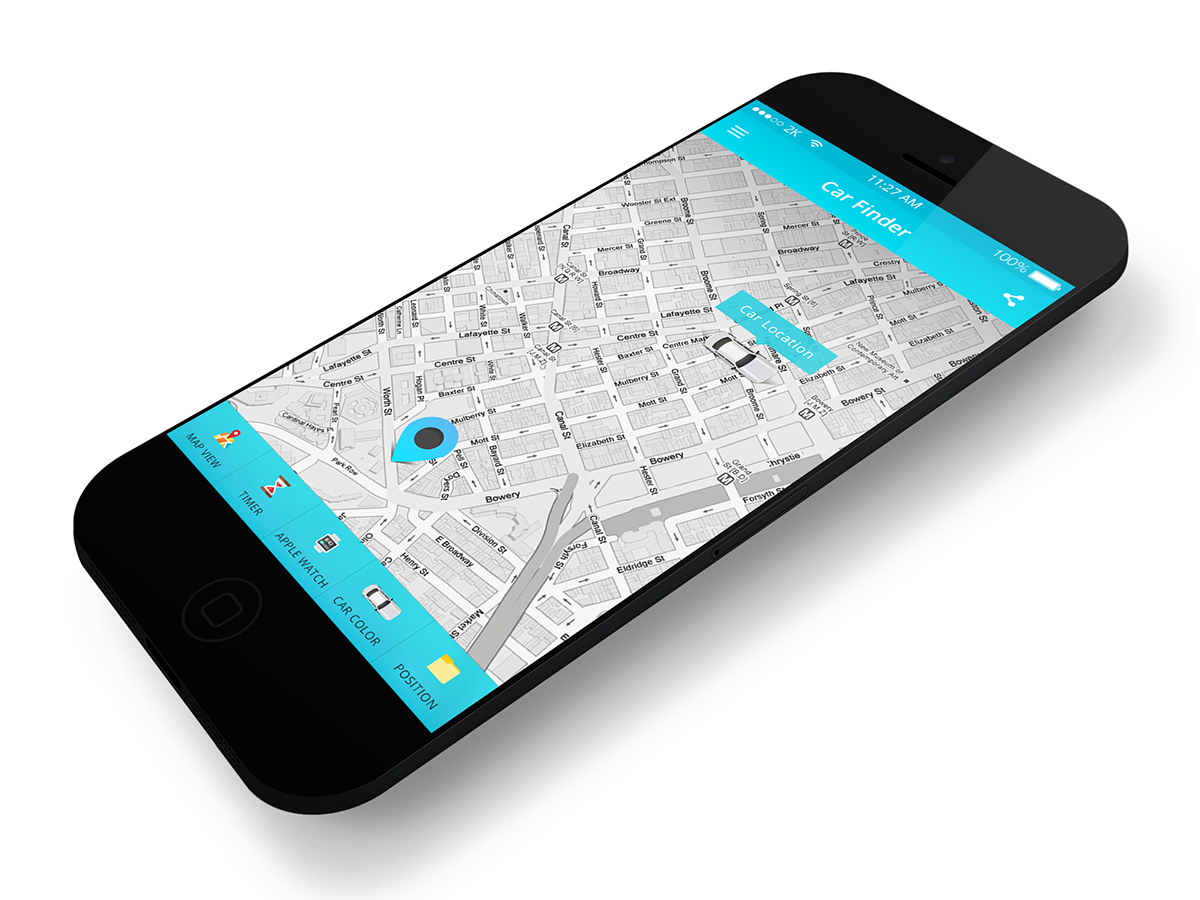
Navigation/maps app for iPhone needs an app design
Vous souhaitez remporter un projet comme celui-ci ?
Ce client a reçu 5 designs application de la part de 2 designers. Il a choisi ce design application de CreativeMalia comme design gagnant.
Inscrivez-vous Trouvez des Projets de Design
-
 €120
€120
-
 5 designs
-
 2 designers
Brief de Design Application
It´s your task to create a design for my app called „CarFinder“. The application allows users to save the position of their car and then find the way back. Beside this core functionality there are of course some other features, that should be integrated in the app design. In detail:
General infos:
The app will be iPhone only and should fit on 4, 4,7 and 5,5 inch displays (Portrait only).
The app will have an Apple Watch widget, that can be unlocked by the user via an in-app purchase. This means that you also have to design a view for the Apple Watch.
There are 2 main views, which are accessible via a menu bar.
An app icon/launch image is also needed.
View 1: "Map“:
The main part of the view consists of an standard map
-> the current position of the user is shown with a blue annotation
-> the car´s position should be marked with a colored annotation
There should be 4 buttons in view 1 (position is up to you):
button for saving the current car position
button for opening Apple Maps to find the way back to the car
button for zooming into the current position
button for sharing the link of the app (sharing menu)
In addition to that, there should be some space for an ad banner above the menu bar...
View 2: “Plus“:
For designing this view you have to know that this screen is only usable if you enable it via an In-App-Purchase. Following that, you have to design the screen if you haven´t bought the IAP yet and if you already enabled the Plus functions.
Enabled view:
There should be a field, where the users can add/take a photo of their car. Below the field should be a button in order to remove the added picture.
In addition to the picture function, users should also be able to take short notes about their parking -> a note field is needed.
Below this feature I plan to integrate a timer, which allows the user to get back to the car just in time. This means that there should be a time picker, where you can select the parking time and a dedicated start/stop button to begin the timer. If you click on this Start button, the time picker should disappear and the selected time begins to run.
Moreover, the Plus view should also contain a segmented control, which allows it to change the map mode of the map in view 1. The user should be able to decide between „Standard“, „Satellite“ and „Hybrid“ mode.
Under this Map selection there should be another segmented control in order to change the color of the the annotations in view 1. The user should have the choice between 5 colors.
Disabled view:
The disabled Plus view should have an overlay above the actual view, which shows the main advantages when upgrading (timer, photos, notes, no advertising, Apple Watch, changeable colors/maps, developer support). In addition to that, there should be a purchase button for buying the IAP).
Apple Watch widget:
The one and only view of the Apple Watch app should show a small map of the car´s position. Below this map I´d like to have a button, which illustrates the navigation back to the car in the Apple maps application. As already mentioned the Watch app only works when the user bought the in-app purchase, which means that there also have to be a view when the user has not bought it.

Mises à jour
Project Deadline Extended
Reason: Additional time to submit designs, because far too few drafts have been submitted...
Added Wednesday, March 18, 2015
Secteur / Type d'entité
Parking
Styles de police à utiliser


Aspect
Chaque curseur illustre les caractéristiques de la marque client et le style que doit transmettre votre design de logo.